Life OS
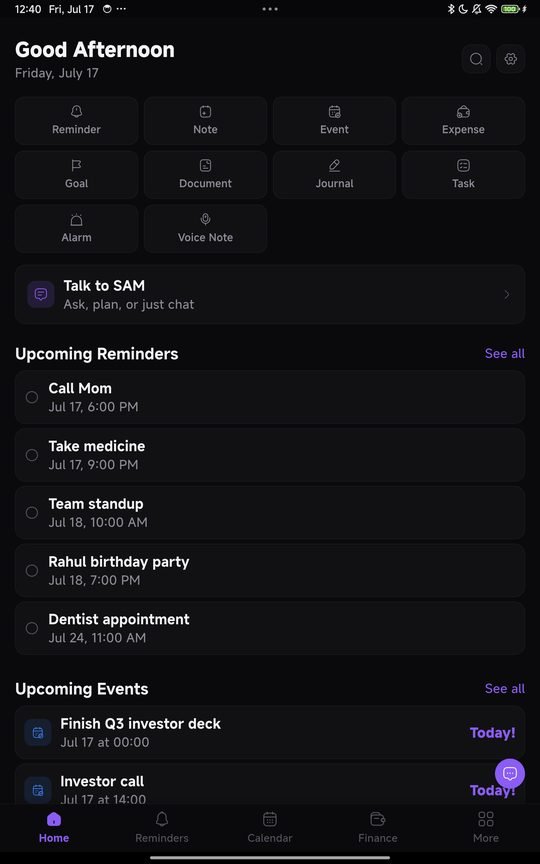
An Android app that holds your tasks, notes, money, reminders and documents in one place, with an assistant that runs on the phone itself rather than in somebody else's data centre. It is in testing now.
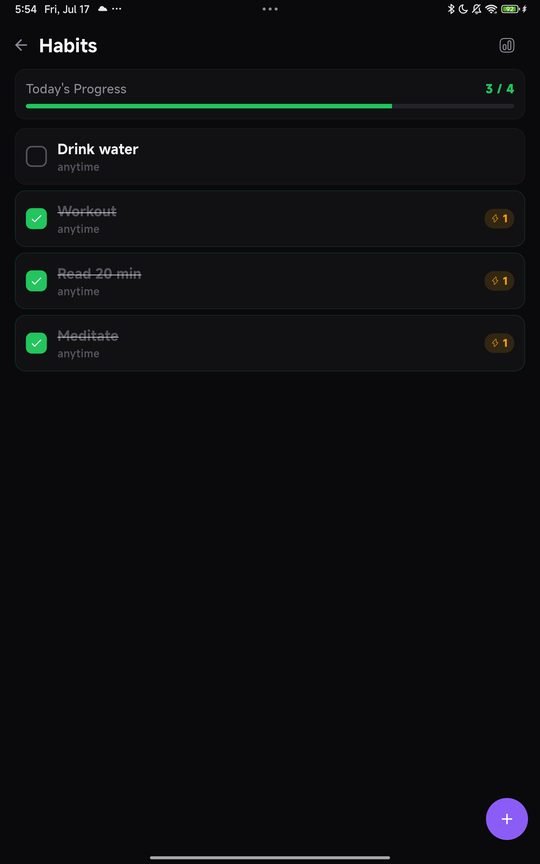
One app instead of six
Most people run their life across a notes app, a to do app, a reminders app, a folder of photographed documents and a bank SMS inbox they scroll through when they need to remember what something cost. Each one is fine. Together they are a filing system nobody designed.
Life OS is an attempt to put those five things in one place on your phone, without asking you to move your life into somebody's cloud to do it.
What is in it
| Part | What it does |
|---|---|
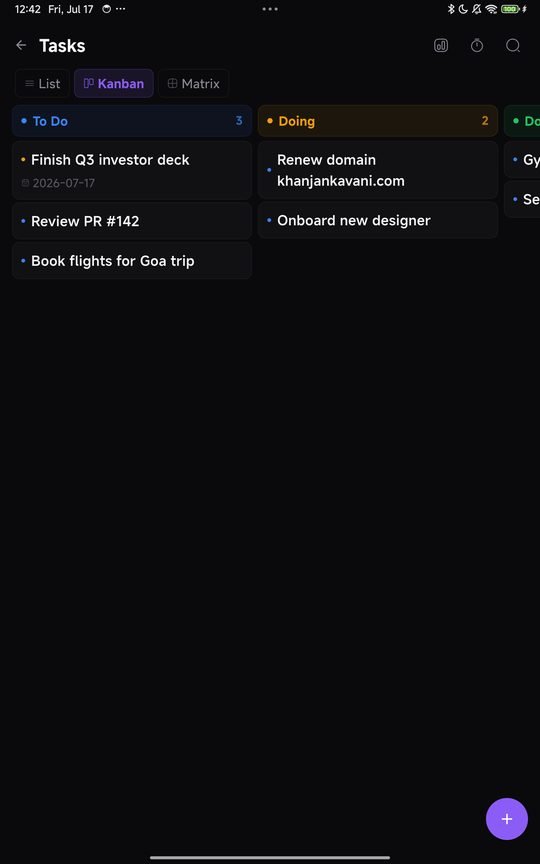
| Tasks | Things to do, with due dates and repeats, and a today view that does not try to be clever about priority. |
| Notes | Plain writing, searchable, no formatting menus to fight with. |
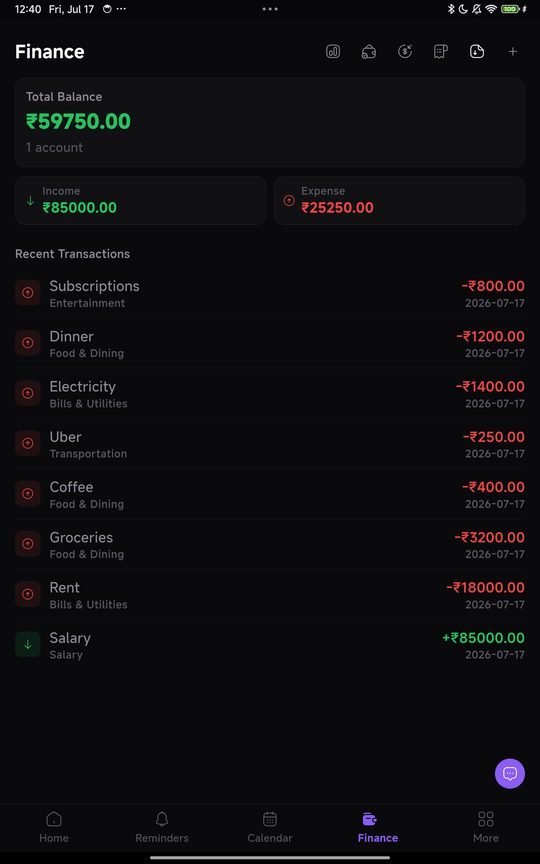
| Money | What came in, what went out, in rupees, with categories you define rather than ones imported from an American budgeting app. |
| Reminders | Time based nudges that fire on the device, including for bills that repeat. |
| Documents | Photographs of the papers you need occasionally and can never find. Insurance, warranties, the RC book. |
The assistant runs on the phone
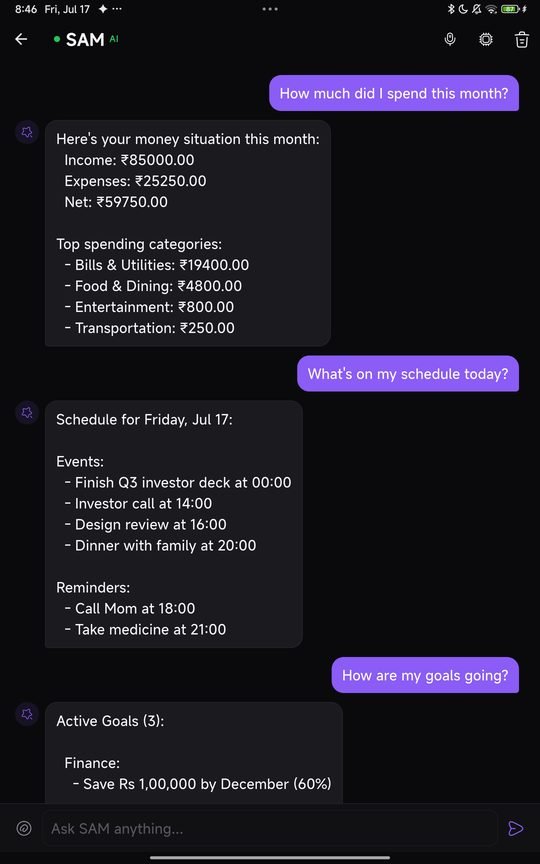
There is an assistant in the app that can find things, summarise a week, or pull a number out of your records when you ask for it in plain language.
It runs on the device. Not in a data centre, not through an API that sees what you typed. This is the part that took the longest and it is the reason the app exists in the shape it does. An assistant that reads your notes, your money and your documents is only worth having if reading them does not mean sending them somewhere.
The practical effects: it works with the aeroplane mode on, it does not get slower when the network is bad, and there is no subscription funding somebody's inference bill. The cost is that it is a smaller model than the ones running on rented hardware, so it is good at retrieving and summarising your own material and it is not a general purpose chatbot. That is the intended job.
Why build it this way
I write on this site about tools that ask for your phone number before telling you what an EMI is. The same instinct applies here. A personal organiser holds the most boring and most sensitive material you own at the same time, which is exactly the combination that makes a breach embarrassing rather than dramatic.
Keeping it on the device removes the question. There is nothing to leak, nothing to sell, and no policy change in two years that quietly moves the goalposts. Every calculator on this site works the same way for the same reason.
Where it actually is
Built, running, and installed on real phones. It is past the stage where it might not work and into the stage where it needs people who are not me finding the parts that are awkward.
Next it needs a closed test: Google requires twelve testers using it for fourteen continuous days before a new developer account can publish to production. That is a wall clock requirement, not a queue, so the fourteen days cannot be shortened by being ready sooner.
Be one of the twelve
If you have an Android phone and are willing to actually use it for a fortnight, I would like to hear from you. Email hello@khanjankavani.com with the Gmail address your phone's Play Store is signed into.
Be one of the twelve
Google won't let a new developer publish until 12 testers have kept an app installed for 14 days in a row. Send me the Gmail your Play Store uses and I'll add you to both apps. You get them free, before anyone else.
What you get: the app, free and permanently, before anyone else. What I get: someone telling me which bits are annoying while it is still cheap to change them. No forms, no NDA, and you can stop whenever you like.
Common questions
When is Life OS out?
There is no date yet, and I would rather say that than invent one. It is on Android, it works, and it is with a small group of testers. Google requires a new developer account to run a closed test with at least twelve testers for fourteen continuous days before an app can go to production, so that is the gate it has to clear next.
Will it work offline?
Yes. Everything is stored on the phone, so the app does not need a connection to open, search or edit anything. That is a consequence of where the data lives rather than a feature bolted on afterwards.
Where does my data go?
Nowhere. Notes, tasks, amounts and documents stay in the app's own storage on your device. There is no account to create and no server holding a copy, which also means if you lose the phone without a backup, the data goes with it. That trade is deliberate and you should know about it before you rely on it.
Is there an iPhone version?
Not yet. Android first, because that is what I carry and what most people in India carry. An iOS build is possible later but I am not going to promise a date for something I have not started.
What will it cost?
Fifteen days free, then a one-time unlock of ₹499. No subscription, no ads, and nothing to renew. Google Play handles the payment, and the refund policy explains how to get your money back.
Can I try it now?
Yes, if you have an Android phone and do not mind rough edges. Email hello@khanjankavani.com with the Gmail address attached to your phone's Play Store and I will add you to the tester list. You get the app free, permanently, and I get someone who tells me what is broken.
The privacy policy, in full
Everything above about where your data lives is written out properly, permission by permission, in the Life OS privacy policy. What you pay for and how to get it back is in the refund policy. The terms of use set out the limits worth knowing before you rely on the app, particularly around reminders and data loss.
Meanwhile
If you came here for something you can use today, the twenty calculators are free and need no account, and the writing covers money and tax in plain English. If you run a business that has outgrown a spreadsheet, the client work page has five working demos and published prices.